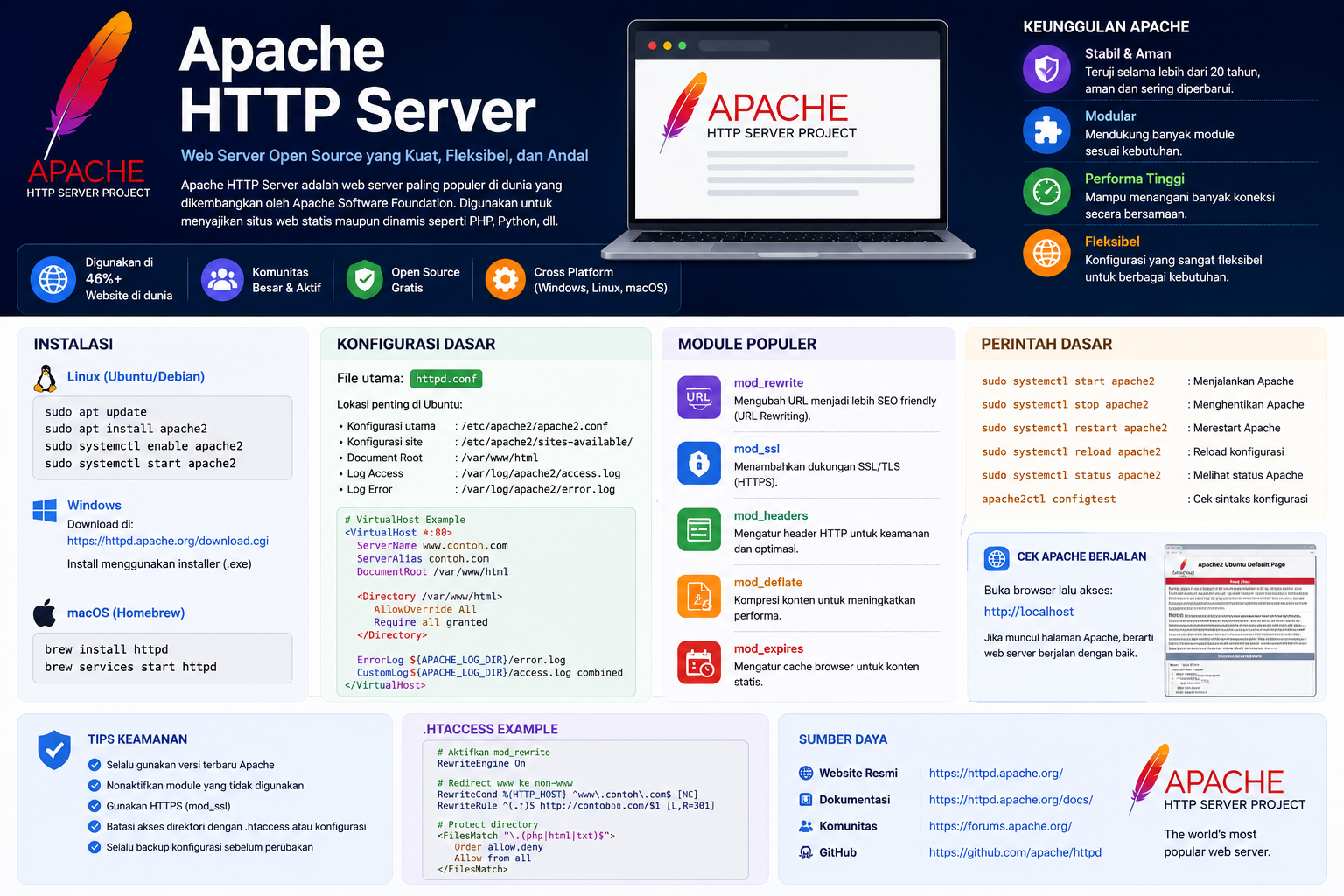
Berikut adalah panduan praktis dan lengkap untuk menginstal Apache di Linux, baik untuk keluarga Ubuntu/Debian maupun CentOS/RHEL/Rocky Linux.
1. Instalasi di Ubuntu / Debian
1.Perbarui Repository System:Memastikan daftar paket terbaru.
Buka Terminal dan jalankan perintah berikut:
Bash
sudo apt update && sudo apt upgrade -y
2.Instal Apache2:Paket utama web server.
Jalankan perintah instalasi berikut:
Bash
sudo apt install apache2 -y
3.Atur Firewall (UFW):Membuka akses port 80 & 443.
Izinkan trafik lalu lintas web pada firewall:
Bash
sudo ufw allow 'Apache Full'
4.Cek Status Layanan:Memastikan layanan berjalan.
Verifikasi bahwa Apache sudah otomatis berjalan:
Bash
sudo systemctl status apache2
5.Buka Browser:Uji di Browser.
Akses http://localhost atau http://ALAMAT_IP_SERVER. Jika berhasil, halaman default Ubuntu Apache2 akan muncul.
2. Instalasi di CentOS / RHEL / Rocky Linux / AlmaLinux
1.Perbarui Sistem & Instal HTTPD:Memperbarui paket bawaan.
Jalankan perintah berikut pada terminal:
Bash
sudo dnf update -y
sudo dnf install httpd -y
2.Aktifkan Service Apache:Menjalankan & mengaktifkan auto-start.
Jalankan Apache dan set agar otomatis aktif saat server dinyalakan:
Bash
sudo systemctl start httpd
sudo systemctl enable httpd
3.Konfigurasi Firewall:Membuka akses port di Firewalld.
Buka port HTTP dan HTTPS pada firewall sistem:
Bash
sudo firewall-cmd --permanent --add-service=http
sudo firewall-cmd --permanent --add-service=https
sudo firewall-cmd --reload
4.Atur SELinux (Opsional):Konfigurasi keamanan tambahan (Jika Ada).
Jika SELinux aktif dan Anda mengubah folder web, izinkan akses dengan:
Bash
sudo setsebool -P httpd_can_network_connect 1
Lokasi Folder Penting di Linux
| Item | Ubuntu / Debian | CentOS / RHEL / Rocky |
| Nama Service | apache2 |
httpd |
| Folder Web (Document Root) | /var/www/html |
/var/www/html |
| File Konfigurasi Utama | /etc/apache2/apache2.conf |
/etc/httpd/conf/httpd.conf |
| Folder Virtual Host | /etc/apache2/sites-available/ |
/etc/httpd/conf.d/ |
| File Log Error | /var/log/apache2/error.log |
/var/log/httpd/error_log |
Perintah Dasar Pengelolaan Apache di Linux
-
Menjalankan Apache:
sudo systemctl start apache2(Ubuntu) atausudo systemctl start httpd(CentOS) -
Menghentikan Apache:
sudo systemctl stop apache2(Ubuntu) atausudo systemctl stop httpd(CentOS) -
Mereload Konfigurasi (tanpa mematikan server):
sudo systemctl reload apache2(Ubuntu) atausudo systemctl reload httpd(CentOS) -
Mengecek Kesalahan Penulisan Konfigurasi (Syntax Test):
sudo apache2ctl configtest(Ubuntu) atausudo httpd -t(CentOS)